Trading leveraged FX, metals and CFDs entails risk and could result in the loss of your capital. Full risk disclosure
A complete trading journal, and an agent desk beside it. Describe your strategy in plain English, prove it on real price history, then run it on your own cTrader account. It alerts. You place the trade — or, from Trader up, let it.
 — Applied Probability Trading & Price Action.
No VPS, no EA, no password handed over. cTrader connects by OAuth, the agent only ever alerts, and the engine that runs live is the one you backtested.
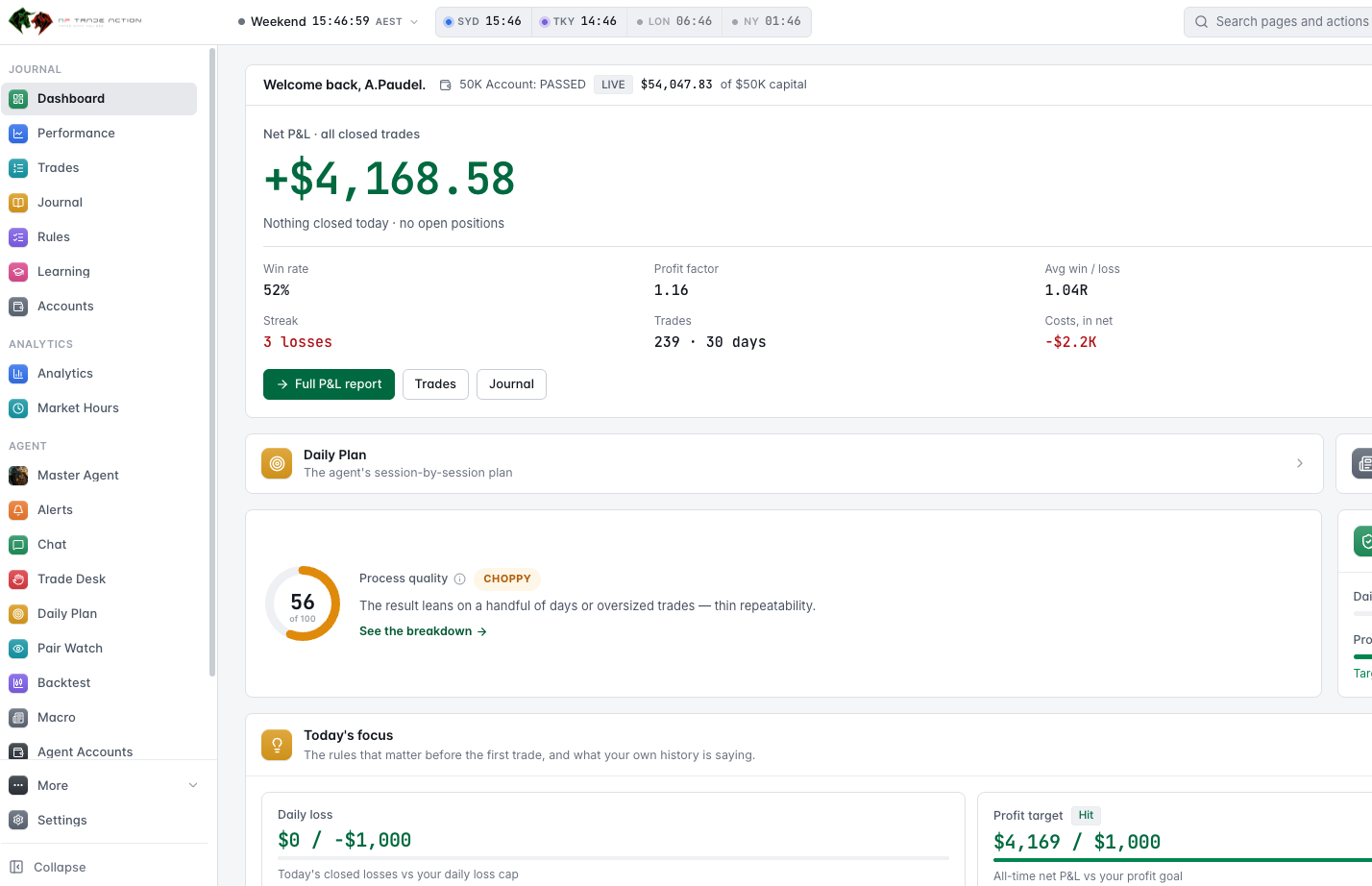
Every trade, synced from cTrader or imported from CSV, with notes, screenshots, tags and an AI review.
Every trade, note and number, forever, without a card. Strategies, backtesting and live agents are what a plan buys.
Real price, one bar at a time, with the right-hand side hidden.
The agent tells you when a setup qualifies. Starter stops there; from Trader it places an order only when you tell it to.
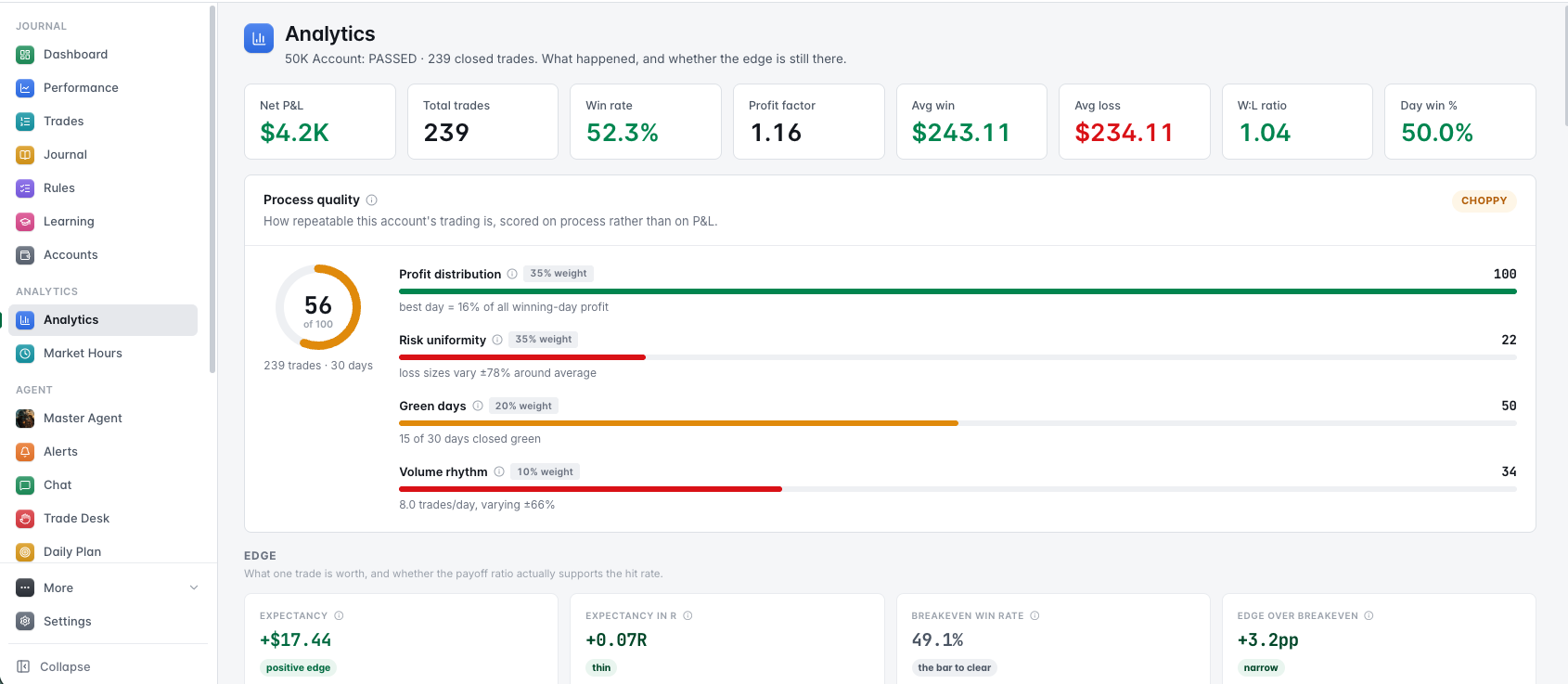
Equity curve, edge over time, and breakdowns by pair, hour and weekday — read from the journal, not typed in.
Daily loss limits, drawdown guardrails and per-account risk policies.
Build it in chat, prove it in replay, run it on your account. The backtest engine and the live engine are one implementation, so what you measure is what runs.
Simulated backtesting on a real chart: the price moves bar by bar, the clock runs, and you sit through the wait exactly as you would in a live session. Scrub, pause, or run it at 20× — no peeking at the right-hand side of the chart.
03In replay the agent reads each bar as it closes, waits, and shows you its reasoning at the moment it decides. Pauses on a real verdict aren't sped up, so you can actually read the call you're about to trust.
04Run the same strategy across years of history and get R multiples, profit factor, and the full trade list. The backtest and the live engine share one implementation, so what you measure is what runs.
Connect cTrader by OAuth and the scheduler runs your agent on a timer, alerting you when a setup qualifies. On Starter that is all it does. From Trader it can also take the trade — only on your confirm, or in an auto mode you switch on per account — and manage the open position.
06Per-account risk policies, daily loss limits, and drawdown guardrails. Track a challenge alongside your journal so you know when you're drifting off plan.
AP Trade Action is a complete trading journal in its own right. Trades arrive from cTrader or a CSV, each takes notes, screenshots and tags, and the performance and analytics pages are read from those same rows. Use it on its own, or as the book a live agent's trades land in.
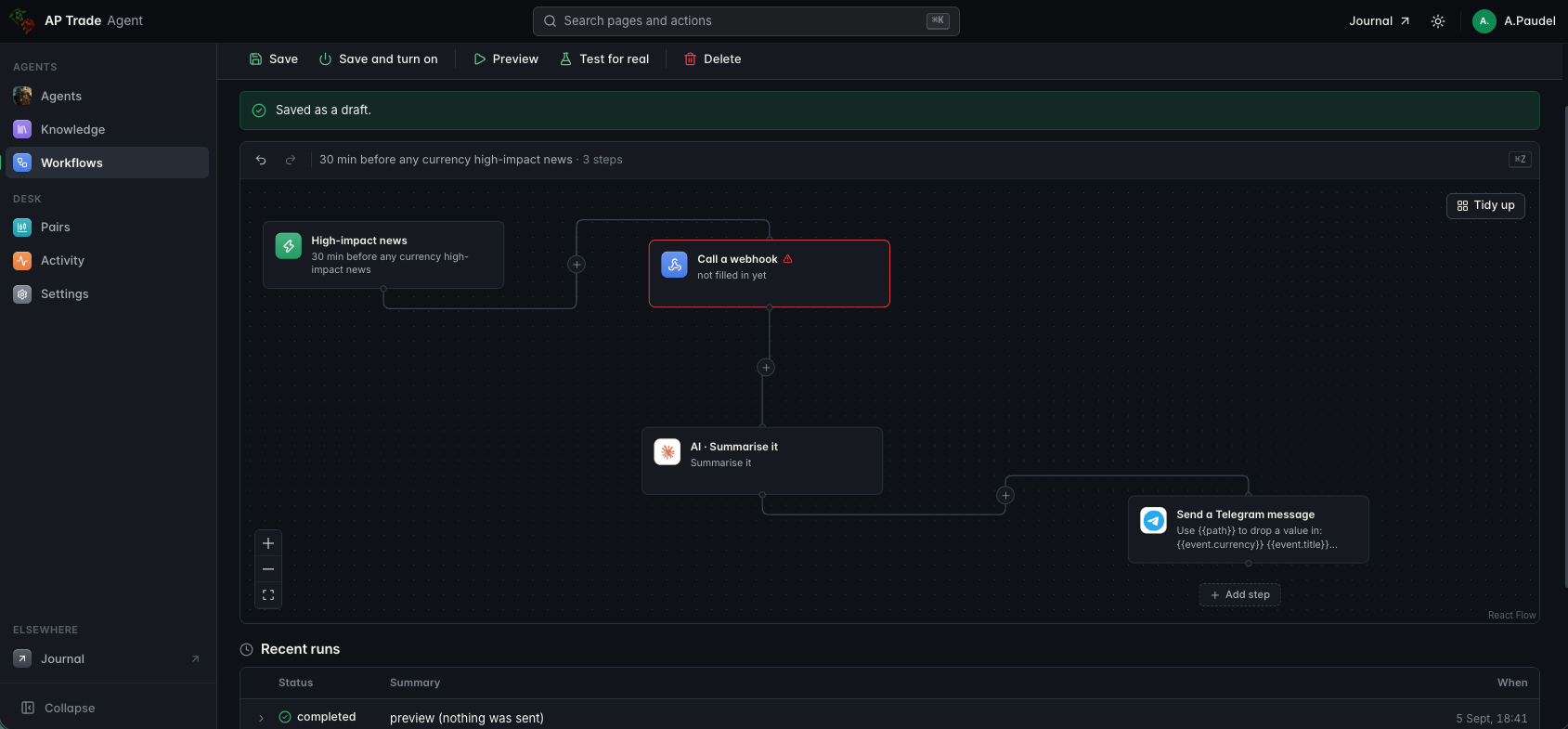
Your agent writes a session-by-session plan for each pair, reads the news and the calendar into a directional bias, and answers questions in chat. In the agent itself, workflows decide what happens after a signal.
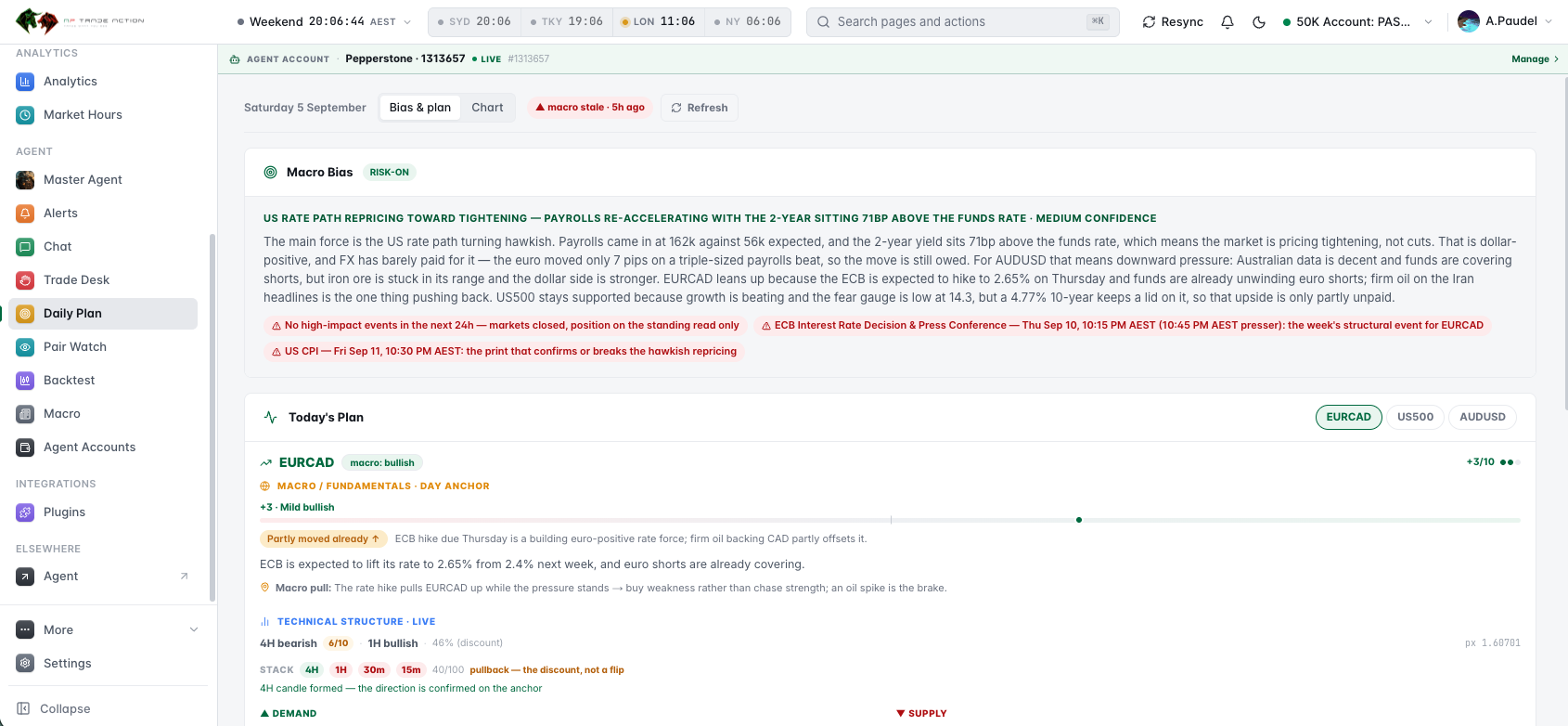
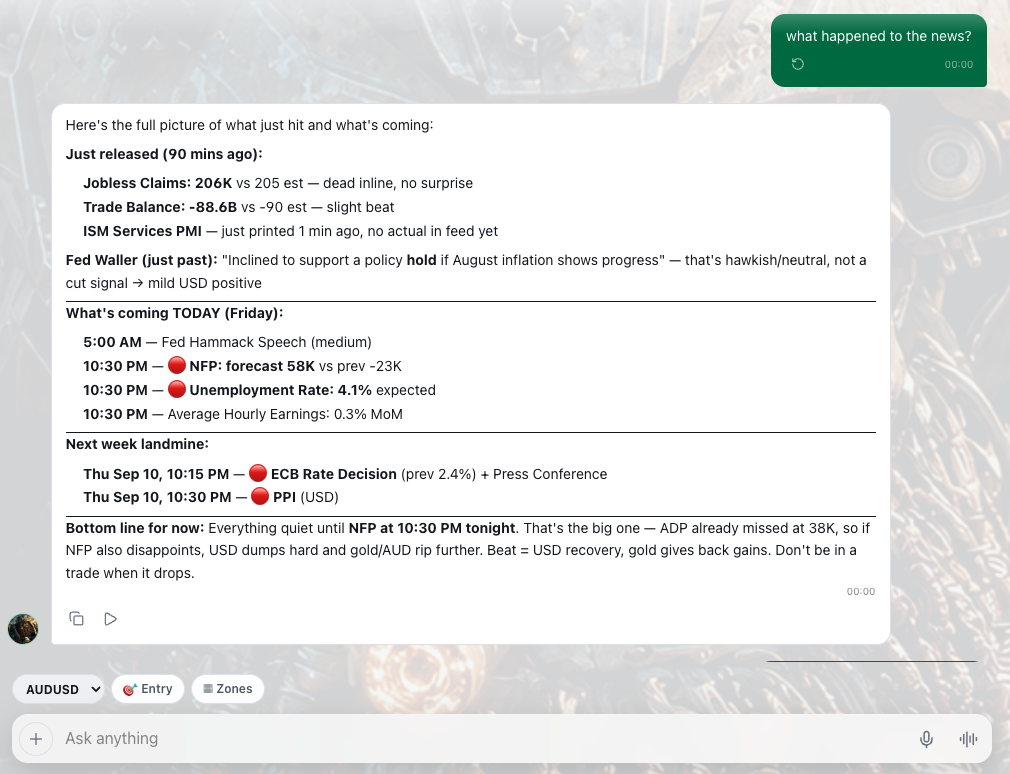
Each day your agent reads the news and the economic calendar into one page: the main force in the market, the events that could change it, and a directional bias for every pair you trade, with how much of it price has already paid for. It comes with your subscription, on your own key. No separate news service.
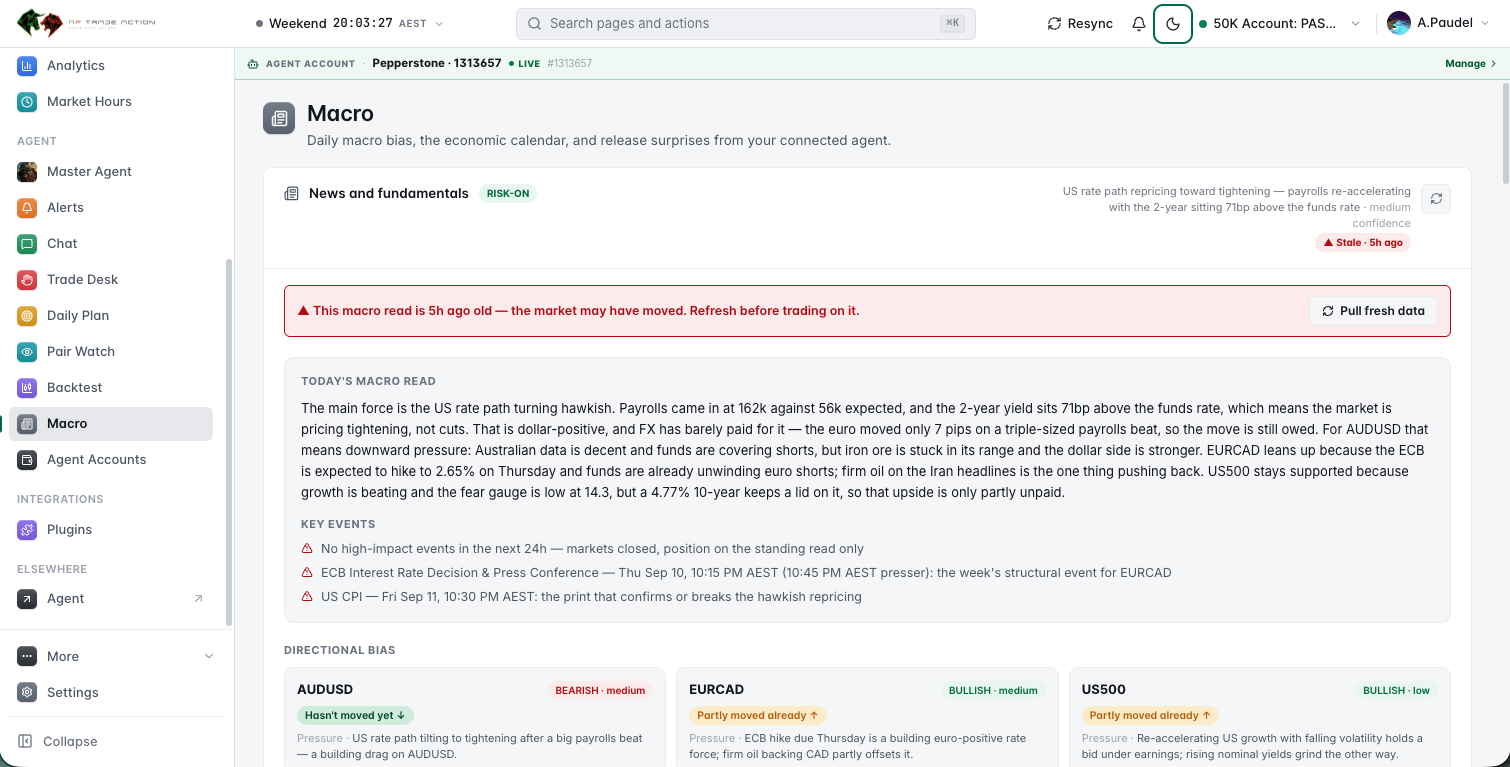
One paragraph on what is actually moving the market, in a trader's words: which data beat, what the curve is pricing, and what FX has and hasn't paid for yet.
The prints that confirm or break the read, on your clock. Gate one of every agent keeps it flat for fifteen minutes either side of the high-impact ones.
Bullish or bearish for each pair you trade, with a confidence, the pressure behind it, and whether price has moved on it yet.
Written by your own agent with the strongest model in its stack, the one it trusts with the entry judgement, then kept for the day. Dated, and it says so when it is aging.
Simulated backtesting on a live-moving chart. The right-hand side stays hidden, the clock runs, and a setup you would have waited three hours for still costs you the wait. When the agent decides, it pauses so you can read why.
Six are arithmetic and cost nothing. The model — if you gave the agent instructions — is asked last, sees everything above it, and can only say no. An order reaches your broker only on your confirm, or in an auto mode you switched on — and on Starter, never.
| # | Gate | What it checks | Type |
|---|---|---|---|
| 01 | Your session filter | The killzones, UTC hours and weekdays your strategy names, and its own per-day cap. Outside them a bar is not even read. | Mechanical |
| 02 | Account & drawdown | Daily loss stop, trades-per-day cap, and the per-account risk policy. | Mechanical |
| 03 | Closed bars only | Every rule is read at the close of the frame you named, 5m to 1D. A forming candle decides nothing. | Mechanical |
| 04 | Your rules, exactly | Indicators, price series and candle patterns as you wrote them. An ask the engine can't express is refused by name, never approximated. | Mechanical |
| 05 | Stop and target placed | The stop is a real price level and there is always a target. A setup whose stop can't be placed is refused. | Mechanical |
| 06 | Room to travel | Entry to the first opposing level or unfilled gap, measured in R — reported on every setup, enforced when you set a floor. | Mechanical |
| 07 | Entry judgement | Asked last, and only if you gave the agent instructions. It sees the candles, wicks and structure, and holds a veto — it can only say no. | AI · optional, the only paid step |
No VPS, no EA, no password handed over. cTrader connects by OAuth, and you can revoke it from your broker at any time.
Chat with the builder until the rules match how you actually trade — the indicators, the timeframes, the sessions, the stop and the target. It reads them back in plain English before anything is saved.
Drop into the terminal and watch it work on live-moving price. The chart reveals one bar at a time, so a setup you'd have waited three hours for still costs you the wait.
Once it behaves in replay, run it over the full history and read the numbers — R multiple, profit factor, win rate, and every trade it took.
Link your account by OAuth. No password, no VPS, no EA to install — and you can revoke access from your broker at any time.
Enable the agent and the scheduler runs it on a timer. When a setup passes every gate, it tells you. You place the trade — or, from Trader up, tap take-it and the agent places it for you.

Your trade journal, analytics and P&L calendar cost nothing and never expire. Strategies, the backtest terminal and live agents run on a trading agent of your own, and that is what a plan connects — every one of them opening with a 7-day free trial. Your own cTrader account, your own Anthropic key held by your agent; model usage is billed to you at cost and never marked up.
The full trade journal — every trade, note and number. No card, no expiry.
Put one agent live on your own cTrader account. It alerts; you place the trade.
A portfolio of agents that can take, manage and auto-enter on your account.
For funded traders running several accounts at once.
Your own cTrader account, your own Anthropic key held by your agent, your own Telegram bot — model usage is billed to you at cost and never marked up. Cancel any time from the billing portal; your agents and journal stay where they are.
Compare every plan, line by line →Brokers, orders, billing and the model. The rest is on the FAQ page.
cTrader only — connected by OAuth, so you never hand us a password and you can revoke access at any time. That covers The5ers, IC Markets, Pepperstone and the other cTrader brokers. MetaTrader is on the roadmap but is not supported today. CSV import works for journaling anything else.
Only when you tell it to, and only from Trader up. Every agent scans, forms an opinion and alerts you. On Starter that is all it does — it never sends an order to your broker. On Trader and Desk you can tap take-it on a setup, arm an entry for the agent to place on a confirmed reaction, switch on auto mode per account so qualifying setups are entered by themselves inside your daily loss stop and trade caps, and hand an open position to the AI to trail the stop, take partials or close. Every one of those is a switch you turn on, every entry is still alerted, and your own stop stays the safety net.
The agent — and everything that runs on it. The trade journal is free forever: every trade synced from cTrader or imported from CSV, with notes, screenshots, tags and the full analytics. Strategies, the backtest and replay terminal, and live agents are on the paid plans, because all three run on a trading agent of your own and that is what a subscription connects. Starter holds 5 strategies of your own, Trader 20, Desk unlimited. Starter is alert-only; the agent placing or managing an order on your account — take-it, armed entries, auto mode, AI position management — starts on Trader. Every paid plan opens with a 7-day free trial with nothing charged until it ends. The journal itself syncs up to 2 cTrader accounts on the free plan, 10 on Starter, 20 on Trader and as many as you hold on Desk — counted separately from the accounts your agent runs on.
Yes. Your key lives with your trading agent — in its Settings, under Model provider — not in this app, which makes no model calls itself. Model usage is billed to you by Anthropic at cost, and we never mark it up.
Build the agent tonight. Replay it against real history. Put it on your own cTrader account when, and only when, it has earned it.
No card to build or backtest · Cancel any time